

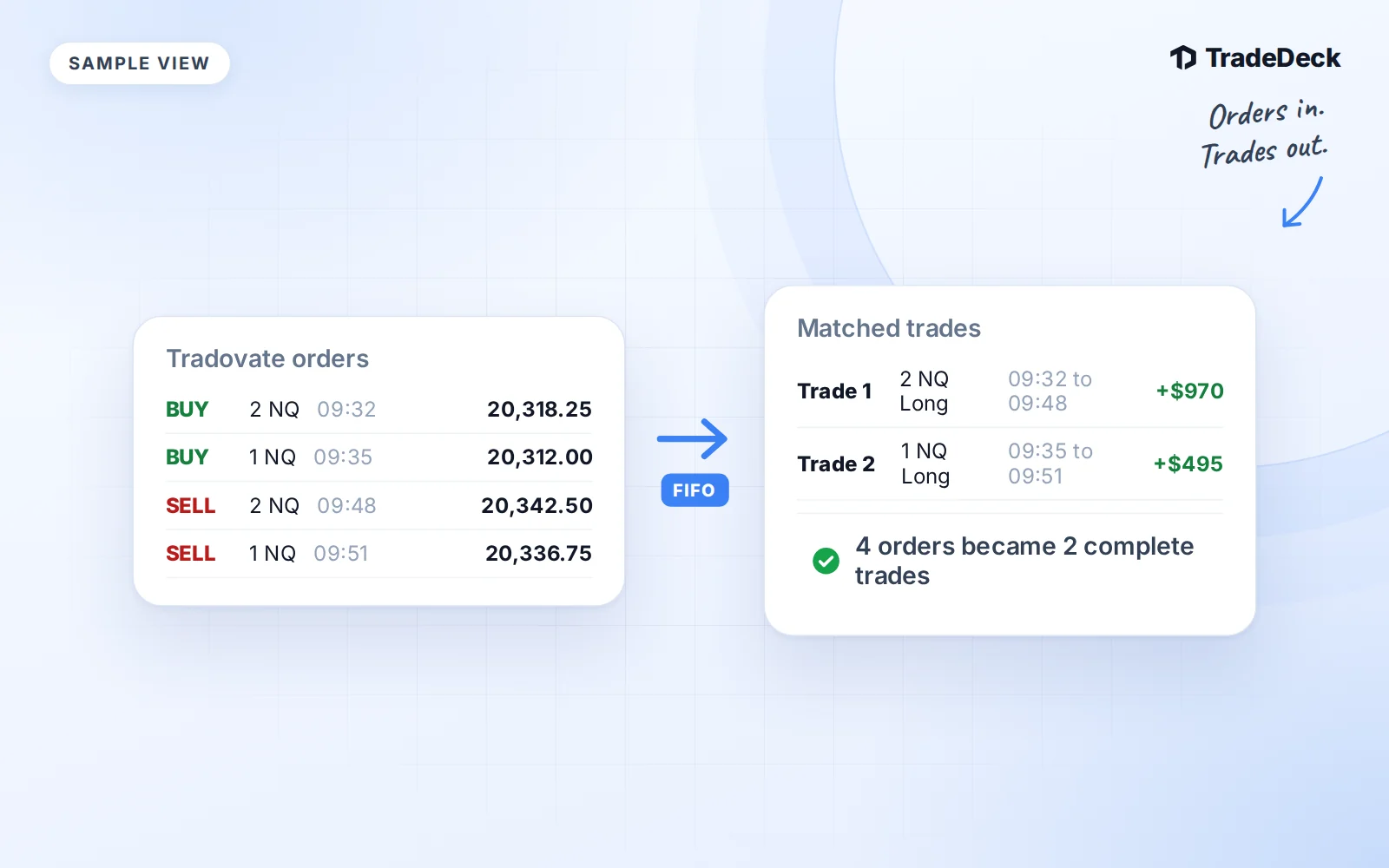
A Tradovate Orders export is a list of fills, not a list of completed round trips. A buy row and a sell row can belong to the same position. Importing each row as a separate trade loses that relationship.
TradeDeck's Orders importer builds the position from the fill sequence. You review the resulting trades before saving them to your journal.
1. Export the Orders records you need
Export your Orders CSV from Tradovate for the period you want to import. Include the opening fills as well as the exits. A file that starts after a position was opened cannot tell the importer the missing entry.
Keep the original column headers and order IDs. The expected format includes:
| Column | What it supplies |
|---|---|
| Status | Whether the order is Filled |
| Filled Qty | The quantity that actually filled |
| Contract | The exact traded contract, such as NQZ6 |
| Product | The root product, such as NQ |
| B/S | Buy or Sell |
| Avg Fill Price | The execution price |
| Fill Time | The fill's local date and time |
| orderId | The order identity used for deduplication |
| Account | The broker account that owns the fill |
The importer also recognizes filledQty or Quantity for quantity, and avgPrice or decimalFillAvg for price. Do not substitute an order's requested size for the quantity that filled.
2. Choose the account and confirm the timezone
In TradeDeck, open Import trades, choose the journal account and upload the file. Check the detected format and column mapping before continuing.
Fill Time is read as MM/DD/YYYY HH:mm:ss in the account timezone you confirm in the wizard. It is not assumed to be UTC. Date and Timestamp are not substitutes because they can describe a different event, such as order creation.
Compare a known fill time with Tradovate before saving. An incorrect timezone can put the trade in the wrong session or day even when the prices look right.
3. Check which rows can enter the position
TradeDeck trims whitespace from every cell before matching. Buy and Sell are recognized without regard to case. Leading spaces in fields such as B/S or Status do not turn a sell into a long entry.
Only rows whose Status is Filled and whose filled quantity is greater than zero enter the position builder. Unfilled and canceled orders do not represent an execution. A Filled row with missing or invalid required data needs correction; the importer does not guess around a missing execution.
4. Follow the FIFO sequence
Fills are grouped by broker Account and Contract, then sorted by Fill Time and orderId. FIFO means first in, first out: an exit consumes the oldest open entry lots first.
A fill in the current direction adds an entry lot. A fill in the opposite direction closes open quantity. One exit can close several lots, and a partial exit closes only its own quantity.
Here is an illustrative sequence for one contract in one account:
| Fill | Action | Position after the fill |
|---|---|---|
| First | Buy 3 | Long 3 |
| Second | Sell 1 | Long 2 |
| Third | Sell 2 | Flat |
That sequence produces one closed Long trade, not three trades. Its entry and exit prices are weighted by quantity. Its open time is the first entry, and its close time is the last exit.
If a fill crosses through zero, the importer splits it. A long position of 1 followed by a sell of 3 closes the long and starts a new short position of 2. If a sequence begins with a sell, its first position is Short.
Returning to flat completes a trade. Only quantity left open at the end of the file produces an Open trade. If that looks unexpected, check that your export includes the closing fills.
5. Review the result before saving
Compare the preview with the broker history. Check account, exact contract, direction, quantity, entry and exit times, average prices and P&L. Futures P&L uses the contract's point value.
Keep separate broker accounts separate, even when their trades were copied from the same idea. Do not combine unrelated round trips just because they share a symbol or happened on the same day.
Why the same export does not create another copy
The Orders path retains the broker account and order identities. Distinct order IDs remain distinct even if they filled at the same time and price. Identical repeated orders are not treated as fresh fills, and saving the same imported positions again is checked against their import identities.
Keep those IDs intact when re-importing the same export into the same journal account. If one order ID appears with conflicting fill details, correct the export rather than changing the ID to force it through.
For positions you already logged as separate compatible records, read how to log and combine prop firm trades. That workflow is separate from the Orders importer's automatic fill pairing.